สิ่งที่มีประโยชน์สำหรับคุณ
เราได้คัดสรรสิ่งที่น่าสนใจบางอย่างที่อาจเป็นที่สนใจสำหรับคุณ
Sicherheit bei QR-Codes: Was Sie vor dem Scannen wissen sollten

Artikelplan
- Ist das Scannen eines QR-Codes sicher?
- Wie QR-Codes verwendet werden – und warum der Kontext wichtig ist
- Was ist ein sicherer QR-Code?
- So überprüfen Sie einen QR-Code: Eine praktische Checkliste
- Sicherheit von QR-Codes in verschiedenen Kontexten
- Was nach dem Scan geschieht: Ein Problem frühzeitig erkennen
- Aufbau eines sichereren QR-Code-Ökosystems
- Mit Zuversicht scannen, nicht blind vertrauen
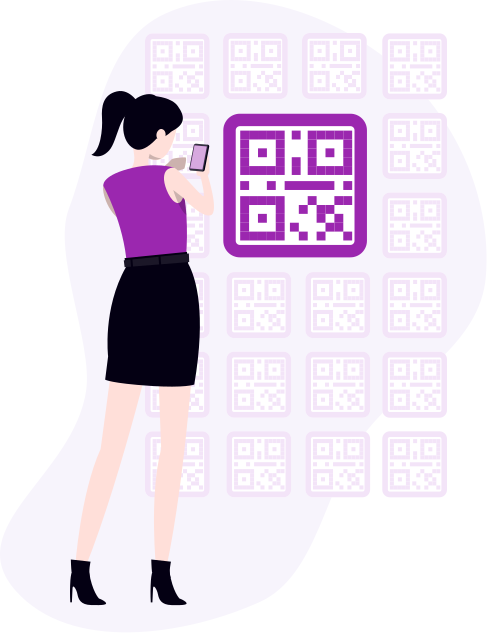
QR-Codes haben sich still und leise zu einer der universellsten Technologien des Jahrzehnts entwickelt. Man findet sie auf Speisekarten, Produktverpackungen, Bordkarten, Aufnahmeformularen in Krankenhäusern, Zahlungsterminals und in Museumsausstellungen. Bis 2025 werden voraussichtlich über 2,9 Milliarden Menschen weltweit QR-Codes nutzen, und allein in diesem Jahr werden weltweit über eine Billion QR-Codes gescannt. Das ist keine Nischentechnologie – das ist Infrastruktur.
Und doch scannen die meisten Menschen gedankenlos. Sie richten ihr Smartphone darauf, warten, bis der Link geladen ist, und vertrauen darauf, dass alles, was folgt, seriös ist. Meistens stimmt das auch. Doch genau in der Kluft zwischen „meistens“ und „immer“ liegt das Problem.
Dieser Leitfaden soll Ihnen helfen, diese Lücke zu verstehen – was einen QR-Code sicher macht, was ihn gefährlich macht und wie Sie diese Technologie sicher einsetzen können, ohne selbst zu einer Statistik zu werden.
Ist das Scannen eines QR-Codes sicher?
Beginnen wir mit etwas Wichtigem: Der QR-Code selbst ist nicht die Gefahr. Ein QR-Code ist lediglich ein Container – eine visuelle Kodierung von Informationen, meist ein Link . Der Code enthält keine Schadsoftware. Er stiehlt keine Daten. Es handelt sich um ein Muster aus Quadraten, das die Kamera Ihres Smartphones liest und in eine Aktion umsetzt.
Die Sicherheitsfrage bei QR-Codes zielt eigentlich auf das Ziel ab. Wohin führt Sie dieser Code? Was passiert dort? Ist die Website seriös? Werden sensible Daten abgefragt? Wird durch das Öffnen ein Download ausgelöst?
58 Prozent der Verbraucher sind davon überzeugt, dass QR-Codes sicher zu scannen sind – und in den meisten Fällen haben sie Recht. Das Problem ist jedoch, dass Vertrauen nicht immer mit Vorsicht einhergeht. Nur 39 Prozent der Nutzer sind zuversichtlich, einen schädlichen QR-Code erkennen zu können, verglichen mit 66 Prozent, die angeben, eine verdächtige URL im Browser zu erkennen. Diese Diskrepanz zwischen Vertrauen und der Möglichkeit zur Überprüfung macht die Sicherheitsbedenken bezüglich QR-Codes ernst zu nehmen.
Die gute Nachricht: Die Mittel, um diese Lücke zu schließen, sind einfach, größtenteils kostenlos und in etwa zehn Sekunden einsatzbereit.
Wie QR-Codes verwendet werden – und warum der Kontext wichtig ist
Bevor man beurteilen kann, ob ein QR-Code sicher ist, ist es hilfreich zu verstehen, was er bewirken soll. QR-Codes können viele verschiedene Arten von Inhalten kodieren, und die erwartete Aktion variiert stark je nach Kontext:
Wenn man versteht, was ein QR-Code in einem bestimmten Kontext bewirken soll, erkennt man leichter, wenn etwas nicht stimmt. Ein QR-Code auf einem Restauranttisch, der statt der Speisekarte einen Dateidownload auslöst – das ist verdächtig. Ein Zahlungs-QR-Code auf einem Parkplatz, der über drei verschiedene Domains weiterleitet, bevor man zur Kasse gelangt – ebenfalls verdächtig.
Der Kontext ist Ihr erster Filter. Stimmt die erwartete Aktion mit dem Ort des Codes überein? Falls nicht, warten Sie, bevor Sie fortfahren.
Was ist ein sicherer QR-Code?
Nicht alle QR-Codes sind gleich. Hier erfahren Sie, was einen wirklich sicheren QR-Code von einem unterscheidet, der einen zweiten Blick verdient.
So prüfen Sie einen QR-Code, bevor Sie ihn öffnen
Ein sicherer Code führt zu einem plausiblen Ziel. Scannen Sie beispielsweise einen QR-Code auf der Speisekarte eines Restaurants , sollte die URL auf die Website des Restaurants verweisen. Scannen Sie den Code, um zu bezahlen, sollte der Link eindeutig zum Zahlungsanbieter gehören. Ein verifizierter QR-Code eines seriösen Unternehmens führt Sie nur selten auf eine unerwartete Seite.
Bevor Sie auf „Öffnen“ tippen, sehen Sie sich die URL an, die Ihr Telefon anzeigt. Achten Sie auf Folgendes:
- HTTPS – das Vorhängeschloss-Symbol bedeutet, dass die Verbindung verschlüsselt ist.
- Eine wiedererkennbare Domain – der Hauptteil der URL (vor den Schrägstrichen) sollte der Organisation entsprechen, die Sie erwarten.
- Keine unnötigen Weiterleitungen – eine saubere URL ist ein gutes Zeichen; eine Kette weitergeleiteter Links hingegen nicht.
- Keine URL-Kürzer – seriöse Unternehmen verbergen ihre Zieladresse auf physischen Materialien selten hinter bit.ly oder ähnlichen Diensten.
Keiner dieser Prüfschritte dauert länger als ein paar Sekunden – zusammen decken sie jedoch die häufigsten Methoden ab, mit denen sich ein bösartiger QR-Code tarnt. Im Zweifelsfall schließen Sie den Browser und rufen Sie direkt die offizielle Website der Organisation auf.
Der Code hat einen sichtbaren Kontext und Quellcode
Organisationen, die stilisierte QR-Codes mit Logo und Markenfarben verwenden und klar kommunizieren, was Nutzer nach dem Scannen sehen werden, geben ihnen bereits vor dem Scannen aussagekräftige Signale. Ein QR-Code auf Markenmaterialien mit klaren Anweisungen und einem angegebenen Ziel ist deutlich vertrauenswürdiger als ein schlichtes, schwarz-weißes Quadrat ohne Erklärung, das irgendwo wahllos angebracht ist.
Der Code wurde nicht manipuliert
Bei physischen QR-Codes im öffentlichen Raum ist eine Sichtprüfung unerlässlich. Manipulationserkennung ist ein wichtiger Aspekt – Betrüger bringen regelmäßig gefälschte Aufkleber über legitimen Codes an stark frequentierten Orten an. Bevor Sie einen QR-Code an einem Parkautomaten, einer Haltestelle oder einem Einzelhandel scannen , prüfen Sie, ob er flach auf der Oberfläche liegt und nicht über etwas anderes geklebt wurde.
Der Generator hat den Inhalt geprüft
Darüber denken die meisten Nutzer nie nach, aber es ist von enormer Bedeutung – insbesondere für die Sicherheit von QR-Codes im Gesundheitswesen, im Finanzwesen , in der Regierung und im Bildungsbereich, wo viel auf dem Spiel steht.
Ein sicherer QR-Code-Generator kodiert nicht einfach nur eine URL und erzeugt ein Bild. Er prüft die Sicherheit der URL, bevor der Code überhaupt verteilt wird. Dienste, die Ziellinks bereits bei der Erstellung auf Schadsoftware, Phishing-Inhalte, Spam und Richtlinienverstöße scannen, bieten einen zusätzlichen Schutz für QR-Codes, den passive Scan-Apps nicht leisten können.
Me-QR integriert diese Prüfung direkt in den Generierungsprozess. Jeder über die Plattform erstellte dynamische QR-Code wird automatisch auf schädliche Inhalte geprüft. Fällt ein Ziel durch die Prüfung, wird der Code blockiert, bevor er veröffentlicht wird. So wird QR-Code-Betrugsprävention , nicht erst beim Scannen.
Um einen QR-Code für einen Link, ein Video oder ein Bild zu erstellen, klicken Sie auf die Schaltfläche unten.
So überprüfen Sie einen QR-Code: Eine praktische Checkliste
Sicheres Scannen ist nicht kompliziert – es geht hauptsächlich darum, sich ein paar Sekunden Zeit zu nehmen und einige beständige Gewohnheiten zu entwickeln. So sieht das in der Praxis aus:
- Vorschau vor dem Öffnen. Die meisten modernen Smartphones zeigen die Ziel-URL an, bevor der Browser gestartet wird. Lesen Sie sie. Ist sie im Kontext sinnvoll?
- Überprüfen Sie den physischen Code. Achten Sie in öffentlichen Bereichen auf Anzeichen von Manipulationen – Aufkleber, die über die Originalcodes geklebt wurden, beschädigte Kanten oder Codes, die leicht erhaben erscheinen.
- Ordnen Sie die Aktion dem Kontext zu. Ein QR-Code zur Menübestellung sollte ein Menü öffnen . Ein QR-Code für die Zahlung sollte eine Zahlungsseite öffnen. Falls die Aktion nicht den Erwartungen entspricht, fahren Sie nicht fort.
- Seien Sie skeptisch gegenüber Dringlichkeitsbotschaften. Codes mit dem Hinweis „Sofort scannen oder Zugriff verlieren“ sind ein typisches Muster für QR-Code-Betrug. Seriöse Dienste üben keinen solchen Druck aus.
- Verwenden Sie eine App zur Überprüfung der QR-Code-Sicherheit. Eine einfache Kamera-App liest den Code lediglich. Eine spezielle, sichere QR-Code-Scanner-App gleicht das Ziel mit bekannten Bedrohungsdatenbanken ab, bevor irgendetwas geöffnet wird – so erhalten Sie eine Echtheitsprüfung des QR-Codes in Echtzeit.
- Vermeiden Sie das Scannen von Codes aus unerwarteten Nachrichten. QR-Codes, die per unerwünschter E-Mail, WhatsApp oder SMS eingehen – insbesondere solche, die nach Anmeldedaten oder Zahlungsinformationen fragen – sollten bis zum Beweis des Gegenteils als potenzielle Phishing-Versuche behandelt werden.
- Halten Sie Ihr Gerät auf dem neuesten Stand. Sicherheitsupdates für iOS und Android schließen Schwachstellen, die QR-Code-Malware ausnutzen kann. Ein aktuelles Gerät ist deutlich sicherer.
Diese Gewohnheiten erfordern keine technischen Kenntnisse – nur einen kurzen Moment der Aufmerksamkeit, bevor man handelt. Die meisten erfolgreichen QR-Code-Betrügereien funktionieren genau deshalb, weil dieser Moment nie eintritt.


Sicherheit von QR-Codes in verschiedenen Kontexten
Die Sicherheit von QR-Codes variiert je nach Einsatzort und -art. Hier ein kurzer Überblick über kontextspezifische Risiken und worauf zu achten ist:
- Restaurants und Einzelhandel: QR-Codes für Speisekarten und Kundenbindungsprogramme bergen im Allgemeinen ein geringes Risiko, doch Betrugsfälle durch das Austauschen von Aufklebern sind an stark frequentierten Orten häufig. Prüfen Sie daher vor dem Scannen eines Zahlungscodes immer auf Manipulationen.
- Gesundheitswesen: Die Sicherheit von QR-Codes im Gesundheitswesen ist von besonderer Bedeutung. Patientenportale, Rezeptinformationen und Terminverwaltungssysteme sind besonders schutzbedürftig. Scannen Sie ausschließlich Codes aus verifizierten Materialien, die direkt von der Einrichtung bereitgestellt werden – niemals aus unaufgeforderten Mitteilungen.
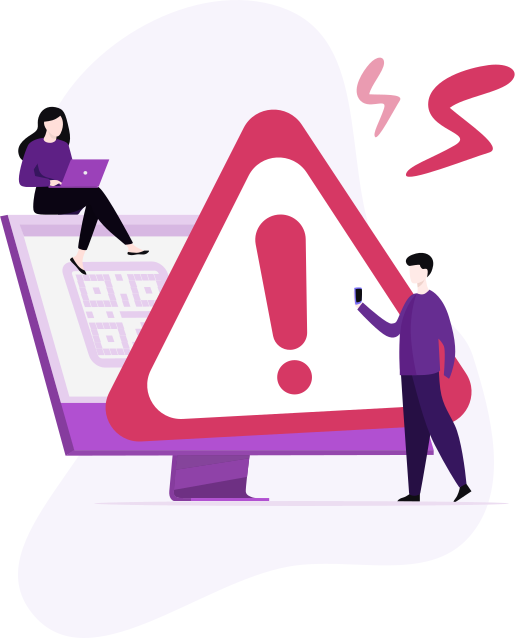
- Finanz- und Bankwesen: Bei Zahlungs-QR-Codes ist besondere Vorsicht geboten. In 18 % der Fälle von Datendiebstahl nutzen Angreifer gefälschte Online-Banking-Seiten, um Finanzinformationen zu stehlen. Sollte Ihnen ein Zahlungs-QR-Code verdächtig vorkommen – beispielsweise eine unerwartete Weiterleitung, eine unbekannte Domain oder ein dringlicher Sprachgebrauch –, halten Sie inne und überprüfen Sie ihn über offizielle Kanäle.
- Marketing und Events: Marketing-QR-Codes auf Printmaterialien, Plakaten oder Visitenkarten sind im Allgemeinen sicher. Allerdings kann jeder einen QR-Code kopieren und weiterverbreiten – Betrüger drucken und verteilen regelmäßig eigene Codes, die legitime Kampagnen imitieren. Marken-QR-Codes mit sichtbaren Logos und angegebenen Zielen sind sicherer als generische Codes.
- Bildung: QR-Codes im Klassenzimmer auf dem Campus und in Hörsälen werden immer häufiger für Kursmaterialien, Google Forms und die Anwesenheitserfassung eingesetzt. Das Bewusstsein für Sicherheit im Bildungsbereich – also die Schulung von Studierenden und Mitarbeitenden zum Überprüfen vor dem Scannen – ist zwar noch selten, gewinnt aber zunehmend an Bedeutung.
Der gemeinsame Nenner in all diesen Kontexten ist derselbe: Nicht der Code selbst birgt das Risiko, sondern das Ziel. Ob im Wartezimmer eines Krankenhauses oder im Café – die Angewohnheit, vor dem Öffnen zu prüfen, gilt überall.
Was nach dem Scan geschieht: Ein Problem frühzeitig erkennen
Selbst mit guten Gewohnheiten kann es mal schiefgehen. Zu wissen, worauf man nach dem Scannen achten muss, hilft dabei, schnell zu reagieren, falls man sich auf einer falschen Seite befindet.
Anzeichen dafür, dass Sie einen Schadcode gescannt haben:
- Auf der Seite werden Anmeldedaten abgefragt, deren Eingabe Sie nicht erwartet haben;
- Ein Download startet automatisch ohne Ihre Zustimmung;
- Die Website sieht aus wie eine bekannte Marke, aber die URL stimmt nicht überein;
- Sie werden in einem unerwarteten Kontext nach Zahlungsdetails gefragt;
- Die Seite lädt langsam oder löst mehrere Weiterleitungen aus.
Was sofort zu tun ist:
Geben Sie keine Informationen ein. Schließen Sie den Browser-Tab. Trennen Sie die WLAN- und Mobilfunkverbindung. Führen Sie einen Sicherheits-Scan Ihres Geräts durch. Ändern Sie die Passwörter für alle Konten, auf die Sie kürzlich zugegriffen haben – insbesondere für Zahlungs-, E-Mail und Arbeitskonten. Falls Ihre Finanzdaten möglicherweise kompromittiert wurden, kontaktieren Sie direkt Ihre Bank.
Je schneller Sie handeln, desto geringer ist der Schaden, den eine Sicherheitsbedrohung durch QR-Codes anrichten kann.
Aufbau eines sichereren QR-Code-Ökosystems
Individuelle Gewohnheiten spielen eine Rolle, aber die Sicherheit von QR-Codes in großem Umfang erfordert auch Maßnahmen von den Organisationen, die die Codes erstellen und einsetzen.
33 Prozent der Marketingfachleute geben an, dass verbesserte Sicherheit und Verschlüsselung zu ihren wichtigsten Prioritäten für die QR-Code-Technologie im Jahr 2025 gehören. Das ist ein bedeutender Wandel – und er spiegelt das wachsende Bewusstsein wider, dass die Verantwortung für die Sicherheit von QR-Codes nicht allein beim Benutzer liegt.
Für jede Organisation, die QR-Codes einsetzt – in der Logistik , Gastronomie, im Einzelhandel, im Gesundheitswesen, im Bildungsbereich, in der Verwaltung oder im Marketing – sollte die Grundvoraussetzung Folgendes umfassen: die Verwendung eines ausreichend sicheren QR-Code-Generators zur Überprüfung der Ziellinks, die Bereitstellung von gebrandeten Codes, die Benutzer visuell authentifizieren können, die Einrichtung eines Prozesses zur regelmäßigen Überprüfung öffentlich zugänglicher Codes auf Manipulationen und die klare Kommunikation an die Benutzer darüber, was sie nach dem Scannen erwarten können.
Dienste wie Me-QR wurden speziell für diese organisatorischen Bedürfnisse entwickelt. Neben der automatischen Inhaltsprüfung bei der Generierung unterstützt die Plattform dynamische QR-Codes . Das bedeutet, dass das Reiseziel nach dem Drucken des Codes aktualisiert werden kann, ohne dass der Code selbst neu gedruckt werden muss. Dies ist besonders vorteilhaft für E-Commerce, Tourismus und Immobilienbereich , wo Angebote, Einträge oder Informationen häufig geändert werden. Sollte ein Reiseziel einmal als problematisch gemeldet werden, kann es umgehend korrigiert werden, ohne dass physische Materialien ersetzt werden müssen.
Mit Zuversicht scannen, nicht blind vertrauen
QR-Codes sind gekommen, um zu bleiben. Weltweit wird ihre Nutzung bis 2025 um 57 % steigen, und alle Indikatoren deuten auf weiteres Wachstum in Bereichen wie Finanzen, Gesundheitswesen, Behörden und darüber hinaus hin. Die Technologie ist wirklich nützlich – es geht nicht darum, sie zu vermeiden, sondern sie sinnvoll einzusetzen.
Der Unterschied zwischen einem sicheren Scan und einem kompromittierten Konto liegt meist in einem einzigen Moment der Unachtsamkeit. Prüfen Sie die URL in der Vorschau. Überprüfen Sie den Kontext. Verwenden Sie einen Scanner, der QR-Codes automatisch verifiziert. Und wenn Sie QR-Codes für andere erstellen oder bereitstellen, wählen Sie einen Generator, der die Informationssicherheit von QR-Codes von Anfang an ernst nimmt.
Das ist keine Paranoia – das ist einfach die Nutzung eines mächtigen Werkzeugs so, wie es gedacht war.