Some useful Things for you
We have selected some interesting things that may be interest for you
Best Ways to Monitor Augmented Reality QR Code Scans
To create a QR code for a link, video or picture - click on the button below.

Why AR QR Code Analytics Matter
Monitoring AR QR code scans provides critical insights into user behavior, campaign effectiveness, and ROI. Unlike traditional QR codes, AR experiences require tracking both initial engagement (scans) and immersive interaction (dwell time, spatial analytics, 3D object interactions). Proper analytics help optimize content placement, identify drop-off points, and measure conversion rates—turning AR campaigns from experimental to data-driven.
Essential Metrics for AR QR Code Tracking

Core Engagement Metrics
- Total Scans: Overall scan count indicates campaign reach. Industry benchmarks show 15% average scan rates, with successful campaigns achieving 25-30%.
- Unique Users: Tracks individual devices rather than repeat scans, revealing true audience size.
- Scan Rate: Percentage of viewers who scan versus those who see the code. This metric identifies placement effectiveness.
- Dwell Time: Average duration users spend in AR experiences. WebAR campaigns report 60-120 seconds average dwell time for engaging content.
- Bounce Rate: Users who exit immediately after loading. High bounce rates (>40%) indicate poor content relevance or slow load times.
Advanced AR-Specific Metrics
- Spatial Analytics: Tracks user movement within 3D environments, revealing which virtual objects attract attention and which areas users ignore.
- Interaction Events: Monitors specific actions like 3D model manipulation, video plays, button clicks, and form submissions.
- Engagement Depth: Tracks progression through multi-step AR experiences, identifying where users drop off.
- Return Visit Rate: Measures repeat engagement, indicating content value and campaign longevity.
- Device Performance: Tracks frame rates, load times, and technical issues across different devices (iOS vs Android, specific phone models).
Geographic & Temporal Data
- Location Analytics: Country, region, and city-level data showing where scans occur most frequently.
- Peak Scanning Times: Hour-by-hour and day-by-day patterns revealing optimal campaign timing.
- Time Zone Distribution: Critical for global campaigns to schedule content updates and promotions effectively.

Analytics Tools Comparison
| Platform | Real-Time Tracking | Spatial Analytics | Custom Events | Device Breakdown |
Export Options
|
Best For
|
|
AR Code
|
✅ Advanced |
✅ Yes
|
✅ Yes
|
✅ iOS/Android
|
✅ CSV/API
|
Enterprise campaigns
|
|
Zappar Analytics
|
✅ Near Real-Time
|
✅ Yes
|
✅ Custom Tags
|
✅ Detailed
|
✅ CSV
|
Marketing agencies
|
|
8th Wall |
✅ Basic
|
⚠️ Limited
|
✅ Yes
|
✅ Basic
|
✅ Dashboard
|
Developer projects
|
|
Metalitix (3rd Party)
|
✅ Advanced
|
✅ Heatmaps
|
✅ Gaze Tracking
|
✅ Full
|
✅ Multiple
|
Deep 3D analytics
|
Platform-Specific Analytics Capabilities
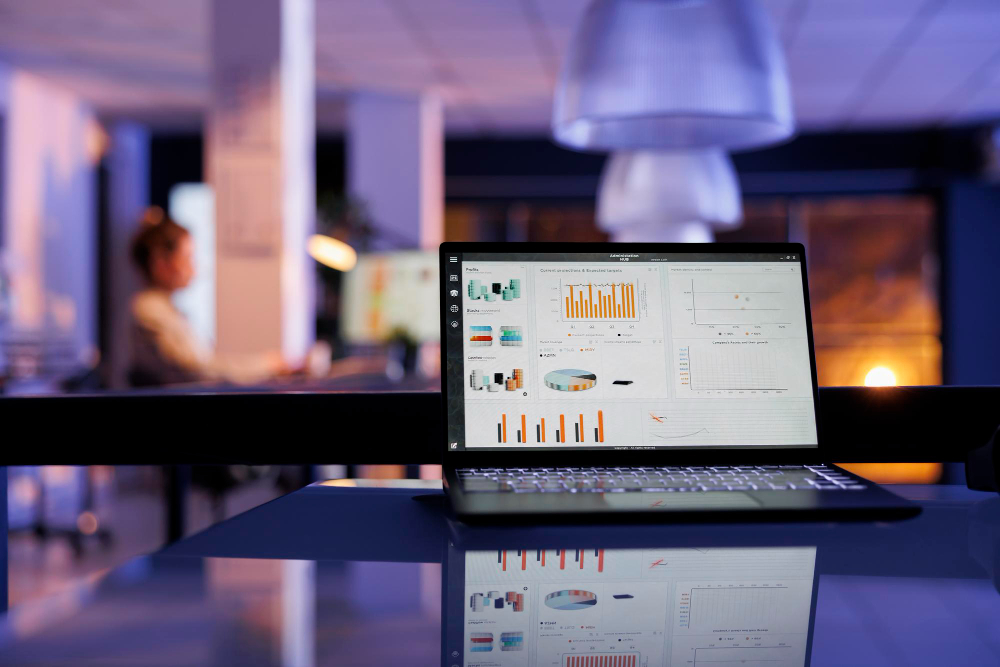
AR Code Analytics Dashboard
AR Code provides enterprise-level analytics with real-time performance tracking across iOS, Android, and Apple Vision Pro.
Key Features:
- Scan count monitoring (100K–1M per plan tier)
- Geographic heatmaps showing scan distribution
- Device breakdown (iOS vs Android, specific models)
- Campaign performance comparison
- Retargeting capabilities based on user behavior
- API access for custom integrations
- Export data for external analysis
Analytics Access: Included in STANDARD ($59/month) and PRO ($590/month) plans with increasing depth.
Zappar Analytics Dashboard
Zappar’s near real-time analytics dashboard emphasizes engagement metrics and campaign performance.
Key Features:
- Total views and unique users tracking
- Average and total dwell time monitoring
- Device platform breakdown (iOS, Android, WebAR)
- Geographic tracking (country-level, map visualization)
- Time-based analytics (hourly, daily, monthly trends)
- Custom event tracking for interactive elements
- Campaign grouping for multi-project analysis
- CSV export for external reporting
Analytics Access: Available on Pro ($315/month) and Enterprise plans. Top 50 projects displayed; others aggregated.

8th Wall Analytics Dashboard
8th Wall provides project-level analytics focused on performance monitoring and usage tracking.
Key Features:
- Project dashboard with recent trends
- View count tracking per billing period
- Commercial project usage monitoring
- Custom event tracking via code implementation
- Device and browser analytics
- Regional performance data
- Real-time performance metrics
Analytics Access: Included in all plans (Free, Basic $20/month, Pro $99/month). Enhanced tracking requires developer implementation.
Metalitix for Advanced 3D Analytics
Metalitix specializes in deep 3D analytics specifically for WebAR platforms, providing insights traditional 2D analytics miss.
Key Features:
- Heatmaps showing user movement patterns
- Gaze tracking revealing attention focus
- Virtual object interaction tracking
- Frame rate and performance monitoring
- Drop-off point identification
- A/B testing support for 3D elements
- Domain whitelisting for security
Analytics Access: Standalone service integrating with WebAR platforms. Custom pricing based on usage.

Setting Up Effective AR QR Code Tracking
Step 1: Configure Platform Analytics
Enable tracking in AR Code, Zappar, or 8th Wall dashboards. Set up project names clearly, establish baseline metrics, and configure alert thresholds for performance changes.
Step 2: Implement Custom Event Tracking
Define specific interactions to monitor:
- Camera permission granted
- 3D model loaded and displayed
- Product variant selection or comparison
- Video playback (start, completion)
- Interactive button clicks
- Form submissions or lead capture
Step 3: Establish Geographic Monitoring
Enable location tracking at country and region levels. Identify top-performing geographic areas. Schedule content updates and campaigns based on regional patterns.
Step 4: Create Performance Benchmarks
Establish baseline metrics for your industry and campaign type. Track trends weekly. Identify significant deviations requiring investigation or adjustment.
Step 5: Set Up Automated Alerts
Configure notifications for:
- Scan volume drops >20% versus previous period
- Dwell time decreases indicating content issues
- Device-specific performance problems
- Geographic anomalies
Optimization Strategies Based on Analytics

Improve Low Scan Rates (<15%)
Issue: Low visibility, poor QR code placement, unclear value proposition
Solutions:
- Reposition codes to eye level
- Increase QR code size for easier scanning
- Add compelling call-to-action text
- Test different placement locations
- Improve lighting conditions
Boost Engagement Depth
Issue: Users exit quickly, incomplete multi-step experiences
Solutions:
- Optimize mobile loading speed (target <3 seconds)
- Simplify user navigation and interface
- Add interactive elements requiring engagement
- Implement gamification mechanics
- Reduce AR content complexity on first load
Increase Dwell Time
Issue: Users spend <30 seconds in experience
Solutions:
- Add sequential content revealing over time
- Implement reward mechanics for engagement
- Improve 3D model quality and animations
- Test different content types via A/B testing
- Add interactive hotspots or navigation points
Final Thoughts
Effective AR QR code monitoring requires understanding platform-native analytics capabilities combined with custom event tracking. Start with basic metrics—scans, unique users, and dwell time—then expand into spatial analytics and engagement depth as campaigns mature.
The key to optimization lies in acting on insights quickly. Monitor performance weekly, identify trends, test variations systematically, and refine experiences based on user behavior patterns. With proper analytics infrastructure, AR QR campaigns transform from experimental activations into measurable, predictable marketing channels.
Frequently Asked Questions about Monitoring Augmented Reality QR Code Scans
No. Privacy regulations prevent individual identification. Analytics track aggregate behavior patterns, device types, locations, and interaction patterns without identifying specific users.
Check weekly for active campaigns, monthly for ongoing codes. Set up real-time alerts for significant performance changes (20%+ variance).
Industry average is 60-120 seconds. Retail campaigns often achieve 2-3 minutes when content is engaging. Manufacturing guides average 90+ seconds for instructional content.
Use spatial analytics and interaction tracking. Zappar and AR Code dashboards show progression through sequential steps. Metalitix heatmaps reveal exactly where users exit.